
In some cases, complex artwork imported from Adobe Illustrator, may cause portions of a color separation to drop out. This is due to the default PostScript setting in the CorelDRAW Postscript driver.
- Open CorelDRAW and Create a graphic or line of text
- Click on the Print function - File > Print or CTRL + P on the keyboard
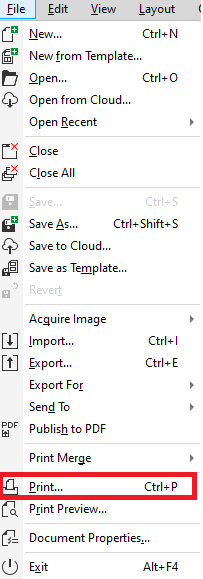
- Select the Device Independent PostScript File drive from the printer drop down list

- Select the PostScript tab and choose PostScript 3 from the Compatibility drop down list
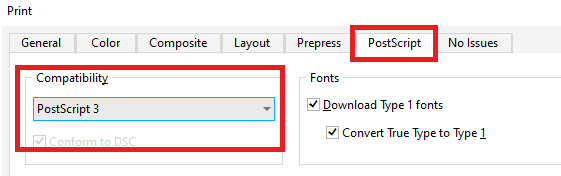
- Click on Apply
Comments
0 comments
Please sign in to leave a comment.